
Master your content workflow
Clean the script, place the stress marks, hear it read back. Everything between a rough draft and a finished voiceover, in one place.
The free plan needs no card. Pick a paid plan later if its usage limits start getting in your way.
From a rough draft to a finished voiceover
- Paste a transcript, upload a .txt, or write the script here from the idea up.
- Clear out the formatting, timecodes and stray spacing a document leaves behind.
- Place the Russian stress marks so the voice reads the word you meant.
- Split the script into parts the voice engine will accept.
- Generate the audio, and keep every version next to the text it came from.
A look at it in use
A short walkthrough of the tools on a real script.
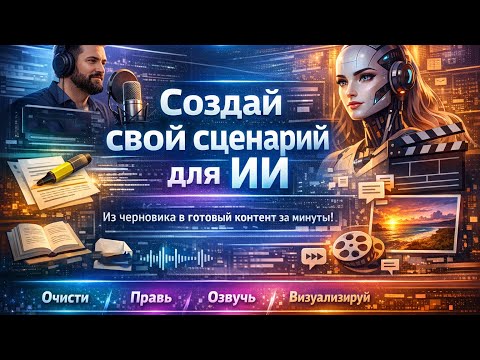 Play the intro video
This is the whole product in one screen
A paragraph of a real transcript on the left, and what comes out of it on the right. Five separate things happened between the two, and none of them by hand.
00:01:24,500 --> 00:01:28,100
В 1783 году  замок  перешел к новому
владельцу,  и  за 25 лет его перестроили
В ты́сяча семьсо́т во́семьдесят тре́тьем году́ за́мок перешёл к но́вому владе́льцу, и за два́дцать пять лет его́ перестро́или.
What changed
- Subtitle timecodes taken out
- Double spaces and stray line breaks collapsed
- Numbers written out as words, in the right case
- ё put back where the transcript dropped it
- Stress marks placed, so зáмок is not read as замóк
Then the same text is split to fit the voice engine and read aloud. That is the whole pipeline.
What this is, in four answers
What is VLN8N?
VLN8N is a web application for preparing written material to be read aloud. It cleans up text that came from a document, a web page or a transcription service, writes numbers out as words, places Russian stress marks from a dictionary of about 140,000 words, splits long scripts into parts a speech engine will accept, drafts video scripts, turns those scripts into image and video prompts, and generates the voiceover. Everything made along the way is versioned and searchable in one library.
Who is it for?
It is built for people who publish narrated video on a schedule, and especially for people working in Russian. The work it removes is the middle of that job: cleaning a transcript, marking stress so a synthetic voice pronounces words correctly, writing numbers and abbreviations the way they are spoken, and cutting a long script into parts without breaking a sentence. It is equally useful to anyone with a pile of interview transcripts or subtitle files to tidy up.
What are the tools?
There are eight, and each hands its result to the next. Clean Text strips formatting, timecodes and stray spacing. Chunk Splitter cuts a long script into parts under a character limit, always between sentences. The Stress Tool places Russian stress marks from a shared dictionary. Script Writer works an idea up into a finished video script, angle by angle. Prompt Weaver turns a script into one detailed image or video prompt per scene. Neural TTS generates the voiceover. Audio Processor records or uploads audio, transcribes it, normalises the transcript for speech and voices it again. The Library keeps every version of all of it.
What does it cost?
There is a free plan that needs no card, and paid plans that raise the daily limits and unlock more of the tools. Limits are counted per day and reset at midnight UTC, so a heavy day never costs you the rest of the week. Every plan lists exactly which features it includes, and the plans can be compared feature group by feature group on the pricing page.
Eight tools, and they hand work to each other
Nothing needs copying between tabs: the result of one tool opens in the next. The stress dictionary alone holds 145,897 Russian words, and it grows every time you correct it.
Which of these you can open depends on your plan. Every one is a real page with its own address.
Clean Text
Strips formatting, timecodes and stray spacing out of a pasted draft, then tidies the punctuation.
- Formatting left by copy–paste removed
- Timecodes and subtitle numbering cleared
- Find, replace and your own patterns
- Double spaces collapsed, paragraphs kept
Chunk Splitter
Cuts a long script into parts the voice engine will take, always at the end of a sentence.
- Breaks at sentence boundaries
- About 9,000 characters a part
- A sentence is never cut in half
- Copy one part or all of them
Stress Tool
Places Russian stress marks from the dictionary, so the voice says зáмок and замóк the way you meant.
- A dictionary you can add to
- Learns the marks you place by hand
- Keeps ё exactly as written
- Words with two stresses shown side by side
Script Writer
Works an idea up into a finished video script: angles, hook, full draft, title, description and tags.
- Angles to choose from before you write
- The opening worked on separately
- A full draft at the length you set
- Rewrite one paragraph, keep the rest
Prompt Weaver
Breaks a script into scenes and turns each one into a detailed image or video prompt.
- Scene by scene, straight from the script
- Framing, lens and lighting spelled out
- The same character stays the same
- A whole set generated in one run
Neural Voiceover
Generates the voiceover. Choose a voice, set speed and pitch, and long scripts are queued in parts.
- Several voice profiles
- Speed and pitch you control
- Long scripts queued part by part
- Download as WAV or MP3
Audio Processor
Record or upload audio, get it transcribed, prepare the transcript for speech, then voice it again.
- Record straight from the microphone
- A transcript of what was actually said
- Numbers, units and ё put in order
- Hand it back to the voice engine
Library
Everything you make is saved, versioned and searchable — last month's script next to the audio it became.
- Each save keeps the previous version
- Search and categories
- Archive instead of deleting
- Text, audio and images in one place
Counted from the database as this page was built, not written into the design.
Russian words with their stress marked
Tools, each handing its result to the next
Interface languages: English and Russian
Plans to choose from, starting at free
How it works
Three steps, and you can stop after any of them.
-
Bring the text in
Paste it, upload a .txt, or start from nothing and have Script Writer draft it with you. Audio works too — record or upload it and get a transcript back.
-
Get it ready to be read aloud
Clean Text removes what should not be spoken. The Stress Tool marks how the Russian words are pronounced. Chunk Splitter cuts it to fit. Each one hands its result to the next.
-
Generate it and keep it
Choose a voice, generate, listen, download. The text, the audio and any images land in your library, grouped by version and still searchable next month.
Who it is for
Narrators publishing on a schedule
You write a script, read it, cut it and publish — every week. The friction is in the middle of that, and this is the middle.
People working in Russian
Stress marks, ё, numbers that have to be read as words, and abbreviations a voice engine would otherwise spell out letter by letter.
Anyone with a pile of transcripts
Interview recordings, subtitle files, documents exported from somewhere else. Cleaning those up by hand is the part nobody wants to do twice.
Plans
Start free. Move up when a usage limit starts getting in your way.
Subscriber
- 50 actions per month
- 100,000 characters per month
- 26 features included
Premium
- 50 actions per month
- No limit on characters
- 34 features included
Try it on one script
Take something you already have to narrate. Run it through Clean Text and the Stress Tool, then listen to the difference. About five minutes.